Invest In\n Yourself
\nFAQs and Requirements
\nWhen does the course start and finish?\n
The course starts now and never ends! It is a completely self-paced online\n course -\n you\n decide\n when you start and when\n you finish.\n
How long do I have access to the\n courses?
How does lifetime access sound?\n After enrolling, you have unlimited access to the courses for as long as you like -\n across\n any and all devices you own.
What type of audio files are the\n samples?
24bit 44.1K WAV Files
What if I am unhappy with my\n order?
We\n would never want you to be\n unhappy! If you are unsatisfied with your purchase, contact us in the first 48 hours\n and\n we\n will give you a full refund - due to the digital download nature of the optional\n sound\n packs, we can only refund the courses parts. No refund on bulk / pack orders. One\n refund\n per\n person.
How do I access course files, if any are\n included?
If you're getting the\n basic course option, a download link will be provided above or below the video of\n the\n first\n or second lecture of the course (usually named 'Setup & Downloads'). In case you're\n getting\n the course with one of the pack options, the additional packs will be delivered to\n you\n via\n email.
Where will I be able to log into my\n course?
\n \n The courses are hosted on\n another server. Once you've bought a course, you'll be getting a\n mail\n saying \"Redeem your copy\n of \"Course …\"\". Follow the \"Confirm your account\" link in that mail and you will\n end\n up\n on\n the\n course-platform. There,\n you'll need to pick your password and log in. Your profile info will be already\n prepared\n for\n you. You can then always\n log in here:\n
\n\n PML\n Courses Login.\n
\n If you already have a courses account, the new course will be added to your profile\n (assuming\n you\n buy it using the same\n email address associated with that account). If you have an account but buy a new\n course\n using a\n different email, get in\n touch and we will manually add it to your existing account.\n\n
\n There is one way of watching videos offline for example if you are travelling with\n an\n iPad\n and\n you are not always within\n reach of a stable internet connection: We have activated the option of MyTeachable\n accounts\n on\n our videos so you can\n watch videos offline through the “Teachable Online Courses” iOS App.\n
I already own some courses/packs. Can I\n upgrade?
You already bought some\n courses / packs and want to upgrade? Get\n in touch for\n your custom offer!
Will future courses be automatically added to\n my\n bundle?
The bundle is a\n snapshot including the available courses and packs at the time of your purchase.\n Future\n courses / packs will not be automatically included.
Is this a subscription to future\n products?
No. This is a one time payment\n for the courses/packs currently included in the bundle
What if I have further\n questions?
We\n are available to help you with any\n questions, get in touch via:\n [email protected]
All sound files are compatible with Ableton Live 11.1 Suite or higher\n (not included with course).
\n\nThe course has been recorded in Ableton Live 12 Suite, which means\n the\n optional step by step course files will require a version of Live 12 to be opened.\n However, we designed everything in a way that you can still follow along with Live\n 11.1.\n
\n \n\n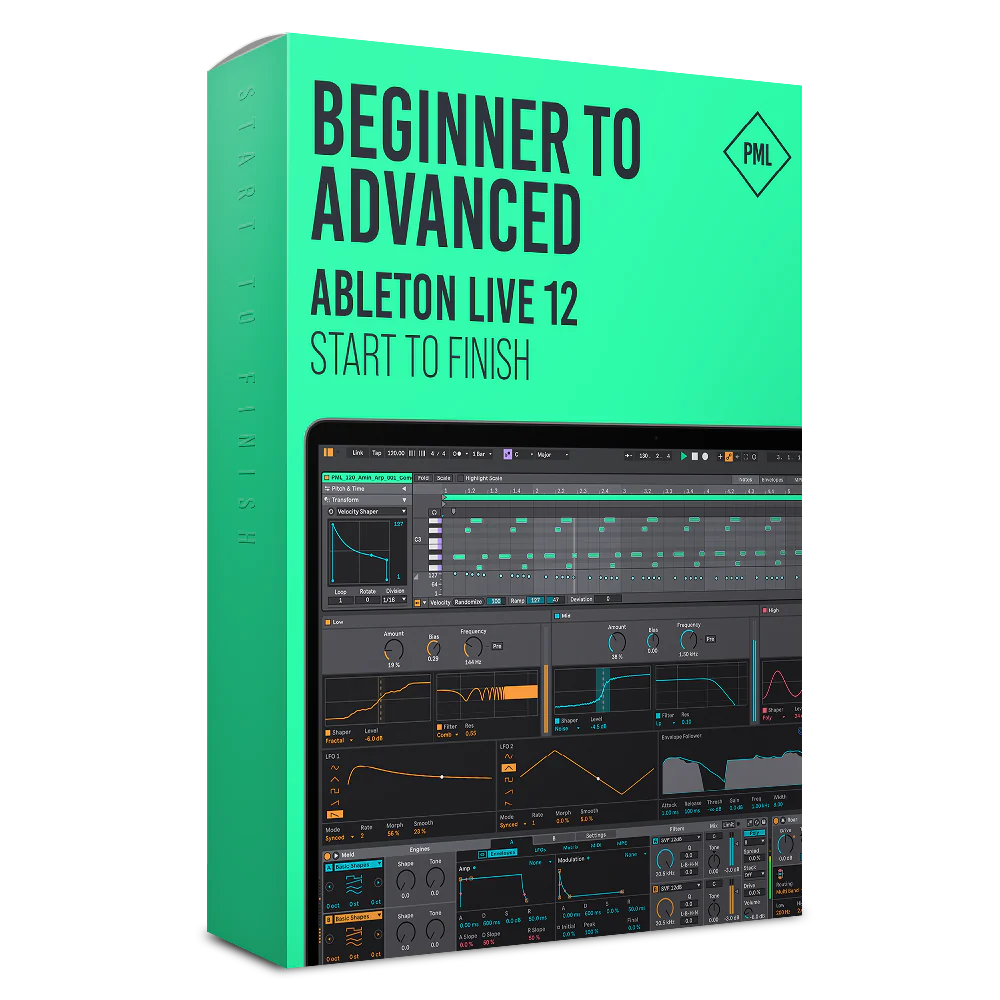
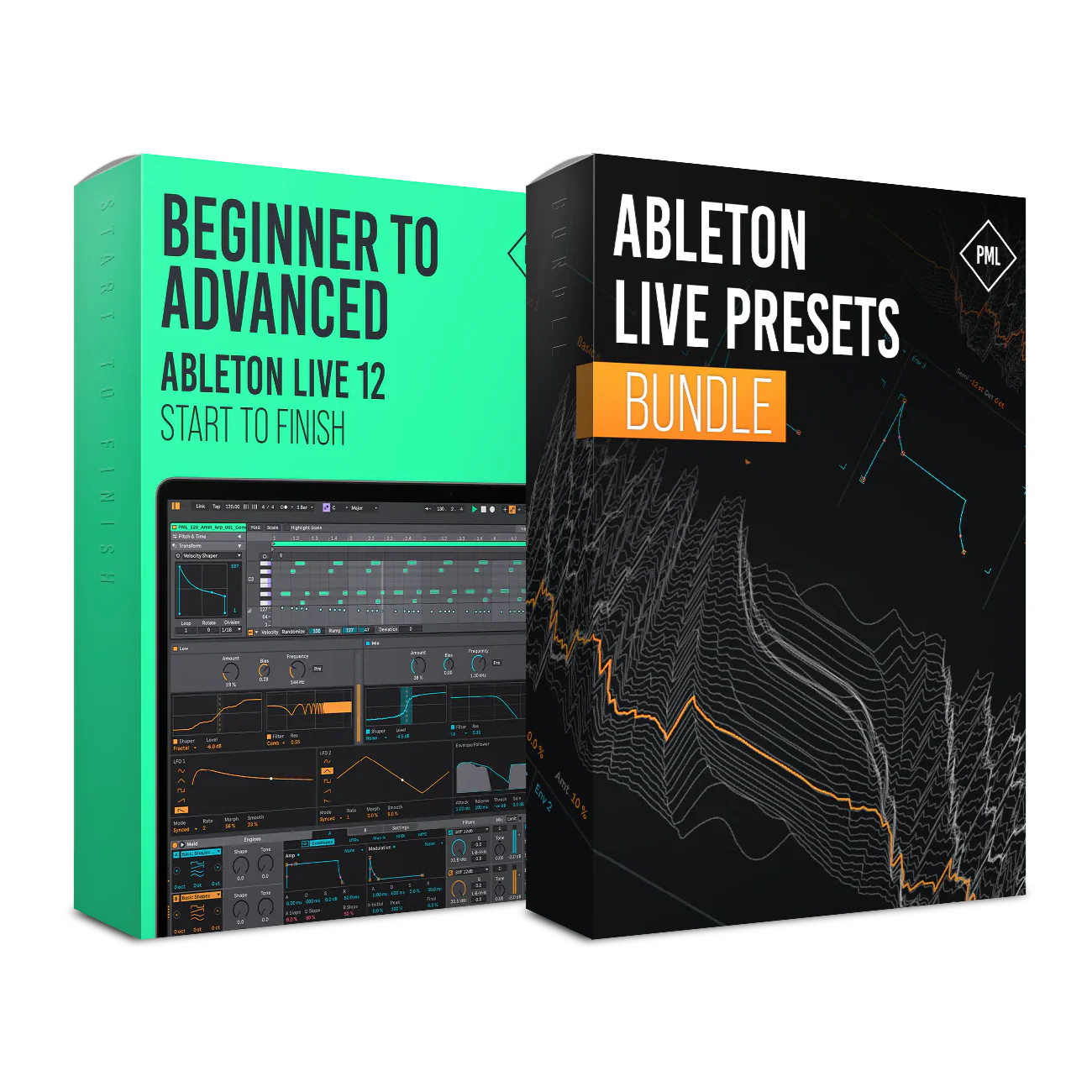
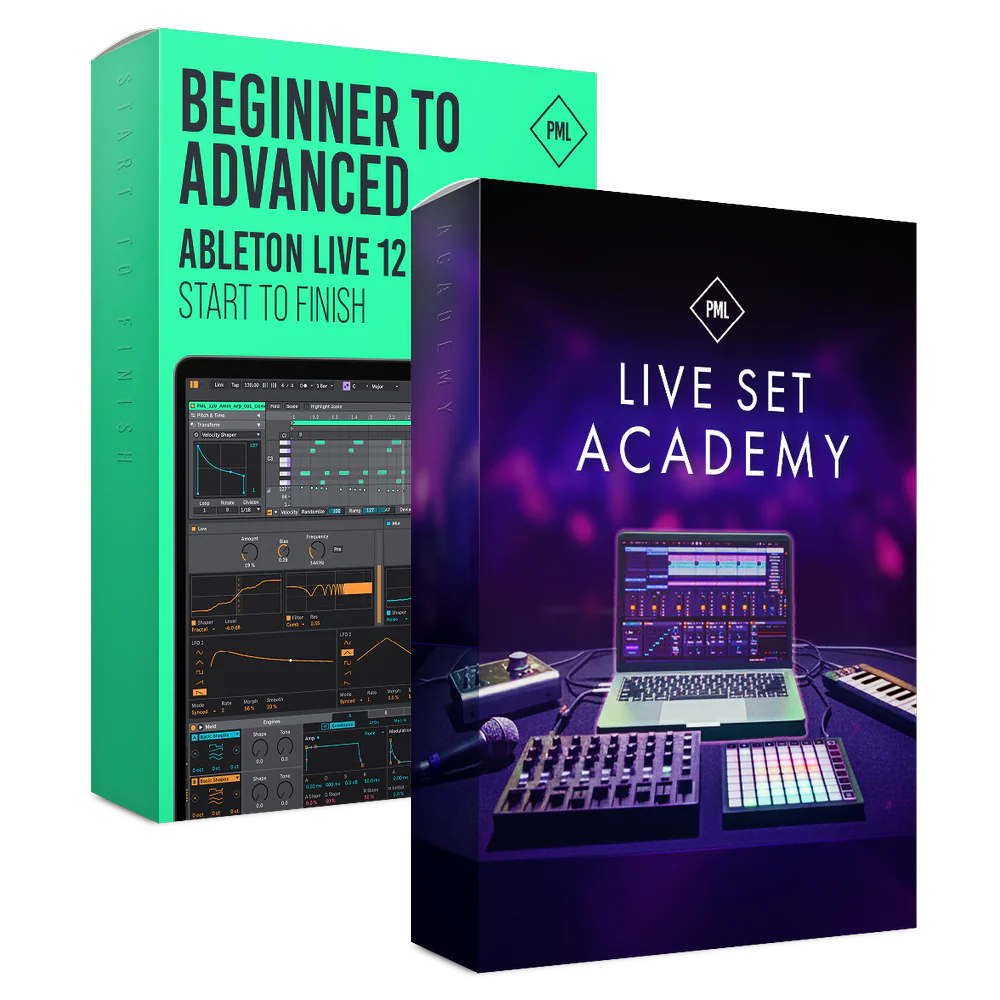
Course: Beginner to Advanced in Ableton Live 12 - Start to Finish
Learn to Produce with Ableton Live
Online Courses, Ableton Project Files, MIDI Song Starters, Samples & Racks

About This Program
This course is for anyone who wants to finally understand Ableton Live 12 inside out and turn ideas into finished tracks—without feeling overwhelmed.
Once you understand the fundamentals, Ableton becomes an intuitive tool for expressing your creative vision. In this course, we’ll guide you step by step from the basics all the way to advanced production, mixing, and mastering techniques.
Software Requirements: All sound files are compatible with Ableton Live 11.1 Suite or higher (not included with course).
What you’ll learn & get:
- Confidently navigate Ableton Live 12 from beginner to advanced
- Create full tracks from scratch: ideas, sound design, and arrangement
- Mix and master your music with clarity, balance, and loudness
- 400+ Premium Samples: One Shots, Loops, Percussion, Tops, Kicks, Hats
- 100+ MIDI Song starters to get you inspired
- 10+ Ableton Racks: Mastering Chain, Vocal Rack, Chord Generator
- 5 Fully produced and educational Ableton Project Files
Learn the Full Process
You’ll start from the ground up, learning how to confidently navigate Ableton Live 12, create ideas and turn loops into complete tracks. Along the way, you’ll produce a track from start to finish, learn to mix and master and improve your workflows!

Track from Start to Finish
Complete start-to-finish production course. Watch all tutorials at your own pace, as many times as you want. Ableton Certified Trainer Matt Tinkler creates a complete track from start-to-finish.
40+ studio sessions, 4+ hours of online video lessons.- Including Project Files
- Create ideas from scratch
- Sound design with Ableton synths
- Write chord progressions & melodies
- Arrangement: From loop to full track
Mixing & Mastering
This part is about effectively mixing & mastering with industry engineer Guido.
50 practical sessions, 4+ hours of online video lessons.- Including Project Files
- Drum and lead processing
- Vocal mixing hacks
- Create clarity, punch and depth
- Glue the track together
- Explore Multiband Compression, additive EQ and limiter techniques


Workflow Tips and Tricks
PML tutor Borys shares practical techniques to elevate your Ableton workflow!
15+ practical sessions, 2+ hours of online video lessons.- New Ableton 12 features
- Warping & audio editing
- Better drum patterns
- Sidechain techniques
- Piano roll explained
- 3 levels of reverb
Ready-to-Use Samples
Everything you need, right at your fingertips. Essential drum loops, punchy one-shots, organic percussion, orchestral themes, and rich textures.
Sound Pack Details
| Audio Files | 44.1 kHz, 24 Bps |
| Software Requirements |
|
| 5 Ableton Project Files |
|
| Sample Packs Including |
|
| MIDI |
|
Samples and presets are 100% royalty free for both professional and personal projects.
Essential Drums - Previews:
Sound Library - Teasers:
Acoustic Melodic - Previews:
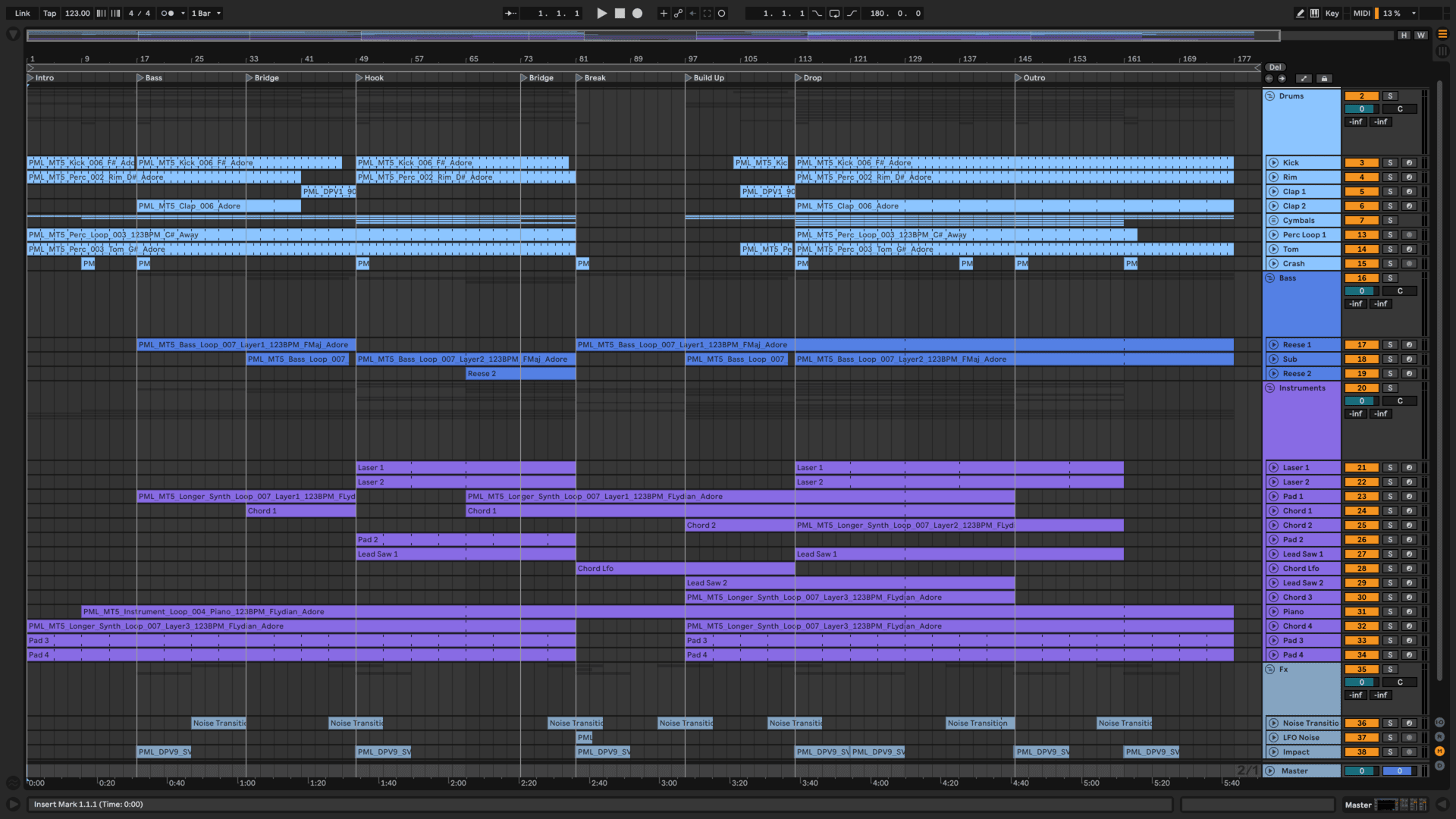
Get Fully Produced Ableton Projects
Learn what it takes to get professional sounding tracks by looking inside 5 different Ableton Project Files. Pick up tricks and techniques or use as a starting point to start your first track.
Get Started here and now!
Academy Curriculum
By the end of the course, you’ll know Ableton so well that you can stop thinking about the software and fully focus on making music. We share the same techniques professional producers use, so you can work faster, smarter, and more creatively.

I. Start to Finish: 1. Intro & Downloads
In this first part of the PML Ableton Beginner’s Class you will get familiar with Ableton Live. You will learn the interface in great detail. Ableton Live will start feeling more natural to you so can start focussing on what you really want to do - making music! Includes Free Project File Download.
I. Start to Finish: 2. Drum Loop
Here is where we start with Ableton Live Certified Trainer Matt Tinkler, how to Produce a Track Step by Step. Tutorial Series explaining Everything for Beginners.
I. Start to Finish: 3. Melodies
Setting up the synthesizers in Ableton Live to write bass, pads as well as the main melodic elements of our track.
- 3.1 Bass Synthesis (13:29)
- 3.2 Bass line (8:56)
- 3.3 Bass Effects (15:00)
- 3.4 Pad Sound Design (9:32)
- 3.5 Pad Chords (6:45) Free Preview
- 3.6 Melody Sound Design (14:36)
- 3.7 Main Melody (7:56)
- 3.8 Sidechain Compression (11:10)
- 3.9 Background Arp, Lead and Pluck (9:50)
- 3.10 Background Pads (8:36)
- 3.11 Vocal Yeah (9:02)
- 3.12 Vocal Pad (7:23)
I. Start to Finish: 4. Arrangement
In this part we are taking our initial loop and turning it into a full song, using typical arrangement patterns and techniques.
I. Start to Finish: 5. Mix & Master
Almost finished with our track, we are now making sure to learn about mixing, finding a nice balance between the track elements and finalising the track to sound well different kinds of audio systems.
I. Start to Finish: 6. Outro
Thank you, goodbye and next steps with Ableton Certified Trainer Matt Tinkler, who is handing it over to Guido for in-depth Mixing and Mastering sessions.
II. Mixing and Mastering Course with Guido
Guido from CatandBeats in Amsterdam will teach you how to listen to the right elements and frequencies, which tools and FX to use and how to polish your track to radio or club quality.
- 1.1 Introduction with Tutor Guido (3:49)
- 1.2 Reverse Engineering (6:10)
- 1.3 Use Correction EQ to Your Advantage (9:29)
- 1.4 Track Playthrough (7:33)
- 2.1 Common Kick Drum Issues (15:22) Free Preview
- 2.2 Replacing the Kick (17:49)
- 2.3 Common Snares & Claps Issues (5:58)
- 2.4 Mixing in the Clap (7:31)
- 2.5 Common Hi-Hat & Shaker Issues (6:29)
- 2.6 Mixing in the Hi-Hat Loop (9:21)
- 2.7 Common Percussion Issues (5:25)
- 2.8 Mixing in the Percussion (11:07)
- 3.1 Common Bass Issues (7:40)
- 3.2 Mixing the Bass (17:58)
- 4.1 Compressors (8:56)
- 4.2 Compressing the Drums (9:12)
- 4.3 Saturation (8:09)
- 5.1 Common Harmony Issues (8:13)
- 5.2 Panning Rhythmic Group (14:38)
- 5.3 Adding Movement to Pads (21:15)
- 5.4 Fx Sends (9:20)
- 6.1 Common Lead Issues (7:08)
- 6.2 Mixing in the Lead (20:30)
- 6.3 Preparing for Vocals (9:55)
- 7.1 Common Vocal Issues (20:47)
- 7.2 Cleaning Vocals (21:00)
- 7.3 Vocal Compresison (13:08)
- 7.4 Time Based FX for Vocals (12:18)
- 7.5 Vocal Throw (9:32)
- 7.6 Vocal Width (12:42)
- 7.7 Extra Background Vocals (6:39)
- 7.8 Mixing in the Verse (9:15)
- 8.1 FX (11:12)
- 9.1 Common Breakdown Issues (4:20)
- 9.2 Mixing the Breakdown (11:14)
- 10.1 Quick Mix for Entire Arrangement (20:06)
- 10.2 Filtering (9:24)
- 10.3 FX Clean-Up (5:21)
- 11.1 Mastering (6:53)
- 11.2 Mastering Numbers (9:56)
- 11.3 Limiters & Clippers (7:41)
- 11.4 EQ (8:33)
- 11.5 Multiband Dynamics (10:21)
- 11.6 The -Nerdy Stuff- (14:08)
- 12.1 Feedback for Low End (8:42)
- 12.2 Lead Remake with Meld (18:36)
- 12.3 One Knob Automation (15:01)
- 12.4 Final Tweaks (14:04)
- 12.5 Thank You and Feedback (0:17)
New Features in Live 12 (Free Bonus Sessions I)
PML tutor Borys explains important Ableton stock plugins as well as new features in detail. He shows you what they do, what the best settings are and how they can be used creatively - all within Ableton and without having to buy anything else!
- Ableton Live 12.1 - Top New Features (Bonus Session with Borys) (15:03)
- Top 5 New Features of Ableton Live 12 (Bonus Session with Borys) (13:50)
- Top 5 Piano Roll Updates in Ableton Live 12 (Bonus Session with Borys) (12:57)
- Ableton Live Piano Roll for Drum Programming (Bonus Session with Borys) (9:20)
- A Guide to MELD (Bonus Session with Borys) (16:52)
- A Guide to ROAR (Bonus Session with Borys) (12:07)
- Interface and Navigation in Ableton Live 12 (Bonus Session with Borys) (18:49)
Free Bonus Sessions II
In this section, PML tutors go through various Ableton Live features and showcase how to use them creatively
- Your first 15 Minutes in Live 12 (Bonus Session with Matt) (16:04)
- Your first drum beat in Live 12 (Bonus Session with Matt) (27:57)
- Common Mistakes to Avoid (Bonus Session with Borys) (12:47)
- Free VST Plugins for Vocal Processing (Bonus Session with Borys) (9:37)
- 3 Sidechain Techniques, beginner to pro (Bonus Session with Borys) (8:59)
- Warping & Audio Editing (Bonus Session with Borys) (14:24)
- 3 House Drum Patterns (Bonus Session with Borys) (12:55)
- 3 Chord Patterns for Melodic House & Techno (Bonus Session with Borys) (14:55)
- Top 5 Underrated Ableton Instruments (Borys) (11:38)
- Make Unique Vocals with Auto Shift in Ableton 12.1 (Borys) (8:47)
- 7 Hidden Features of Ableton 12.1 (Borys) (9:35)
- 5 Underrated Ableton Effects (Borys) (11:20)
- 4 Secret Production Techniques in Ableton (Borys) (10:22)
- Chord Magic in Ableton 12 with Stacks (Borys) (12:09)
- 3 Levels of Reverb in Ableton 12 (Borys) (12:00)
- Live Act Setup in Ableton 12 Session View (Borys) (14:09)
- Mastering for Beginners in Ableton 12 (Borys) (18:58)
- Thank You and Feedback (0:17)

Endless Inspiration
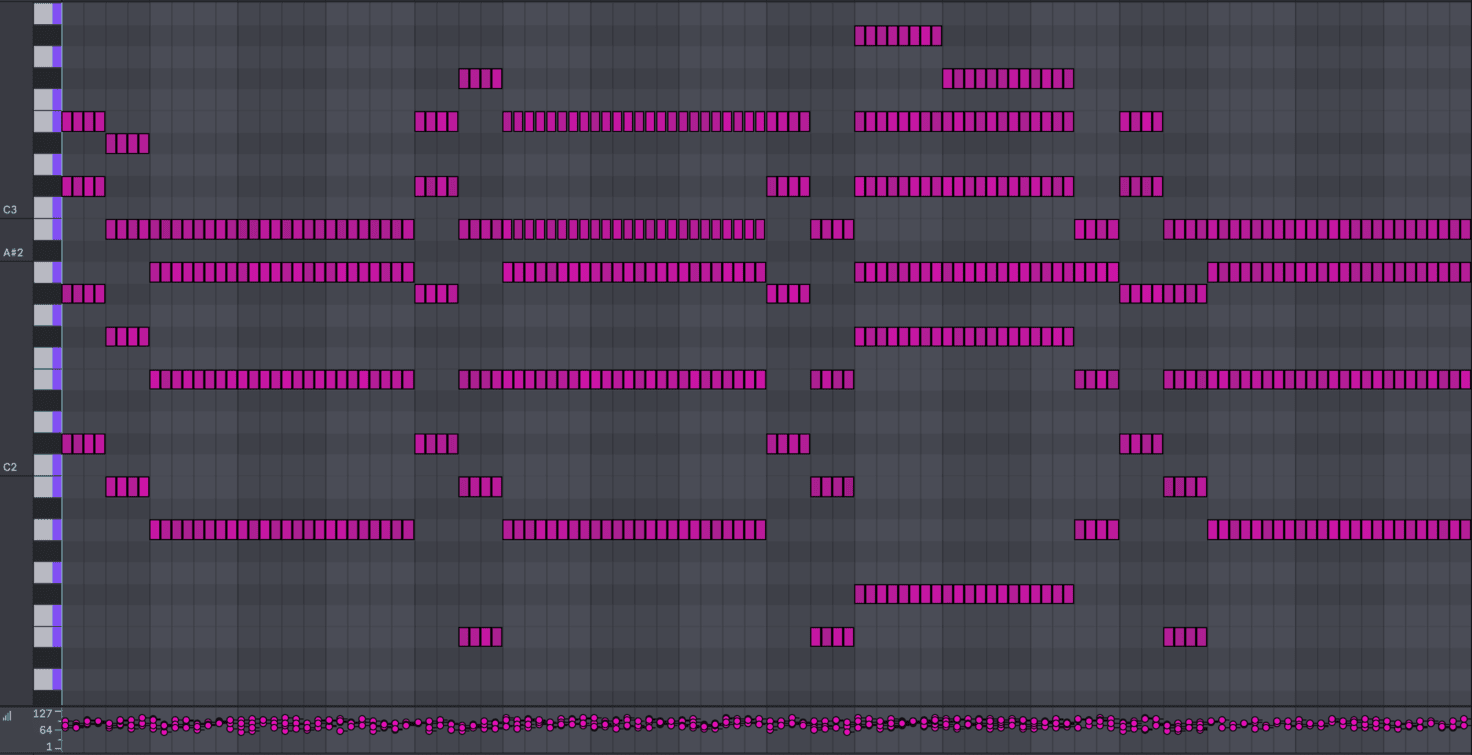
100+ Wonderful Song-Starter MIDIs that turn ideas into tracks fast. Melodies, plucks, chords and grooves that just work.
Kicks That Always Hit
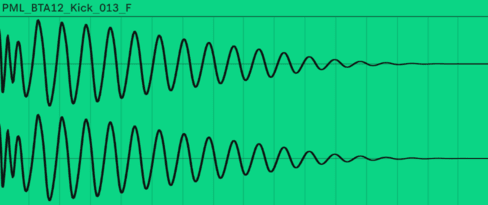
Punchy low-end without endless tweaking.
Tools To Speed Up Your Workflow

Cheat Sheets That Make Things Click
Clear, practical guides covering compression, EQ & frequencies, synthesizers, and chords—so you understand why things work.
Ableton Racks You’ll Love
Professionally built Ableton racks, including mastering and vocal chains, ready to drop into your projects and instantly improve your sound.
Vocal Rack - Instant Vocal Mixing Mastering Rack - Dial in the final sound
Details
| Audio Files | 44.1 kHz, 24 Bps |
| Software Requirements |
All sound files are compatible with Ableton Live 11.1 Suite or higher (not included with course). The course has been recorded in Ableton Live 12 Suite, which means the optional step by step course files will require a version of Live 12 to be opened. However, we designed everything in a way that you can still follow along with Live 11.1. |
| Course details |
|
| Is this course right for you? |
|
Join 10,000+ Students
I've surfed the Internet over and over and nothing comes close to your courses, so thumbs up, and keep up the good work!"
- Claude
-Reggie.
I learned masses, especially motivating as the track itself is a great piece of music. Francois your tuition is smart, concise and you always have the learner in mind. Also really liked your approach to production and impressed with your knowledge of both production and theory.
Thanks and keep up the good work!""
- Simon (Tokyo)
Next Steps After this Course
Interested in mastering a specific genre? PML full start to finish Academies give you courses, sounds, and lessons created by professionals industry to give you what you need to make label-ready music!
Invest In Yourself
FAQs and Requirements
When does the course start and finish?
The course starts now and never ends! It is a completely self-paced online
course -
you
decide
when you start and when
you finish.
How long do I have access to the
courses?
How does lifetime access sound?
After enrolling, you have unlimited access to the courses for as long as you like -
across
any and all devices you own.
What type of audio files are the
samples?
24bit 44.1K WAV Files
What if I am unhappy with my
order?
We
would never want you to be
unhappy! If you are unsatisfied with your purchase, contact us in the first 48 hours
and
we
will give you a full refund - due to the digital download nature of the optional
sound
packs, we can only refund the courses parts. No refund on bulk / pack orders. One
refund
per
person.
How do I access course files, if any are
included?
If you're getting the
basic course option, a download link will be provided above or below the video of
the
first
or second lecture of the course (usually named 'Setup & Downloads'). In case you're
getting
the course with one of the pack options, the additional packs will be delivered to
you
via
email.
Where will I be able to log into my
course?
The courses are hosted on
another server. Once you've bought a course, you'll be getting a
mail
saying "Redeem your copy
of "Course …"". Follow the "Confirm your account" link in that mail and you will
end
up
on
the
course-platform. There,
you'll need to pick your password and log in. Your profile info will be already
prepared
for
you. You can then always
log in here:
PML
Courses Login.
If you already have a courses account, the new course will be added to your profile
(assuming
you
buy it using the same
email address associated with that account). If you have an account but buy a new
course
using a
different email, get in
touch and we will manually add it to your existing account.
There is one way of watching videos offline for example if you are travelling with
an
iPad
and
you are not always within
reach of a stable internet connection: We have activated the option of MyTeachable
accounts
on
our videos so you can
watch videos offline through the “Teachable Online Courses” iOS App.
I already own some courses/packs. Can I
upgrade?
You already bought some
courses / packs and want to upgrade? Get
in touch for
your custom offer!
Will future courses be automatically added to
my
bundle?
The bundle is a
snapshot including the available courses and packs at the time of your purchase.
Future
courses / packs will not be automatically included.
Is this a subscription to future
products?
No. This is a one time payment
for the courses/packs currently included in the bundle
What if I have further
questions?
We
are available to help you with any
questions, get in touch via:
[email protected]
All sound files are compatible with Ableton Live 11.1 Suite or higher (not included with course).
The course has been recorded in Ableton Live 12 Suite, which means the optional step by step course files will require a version of Live 12 to be opened. However, we designed everything in a way that you can still follow along with Live 11.1.
Original: $111.73
-70%$111.73
$33.52More Images
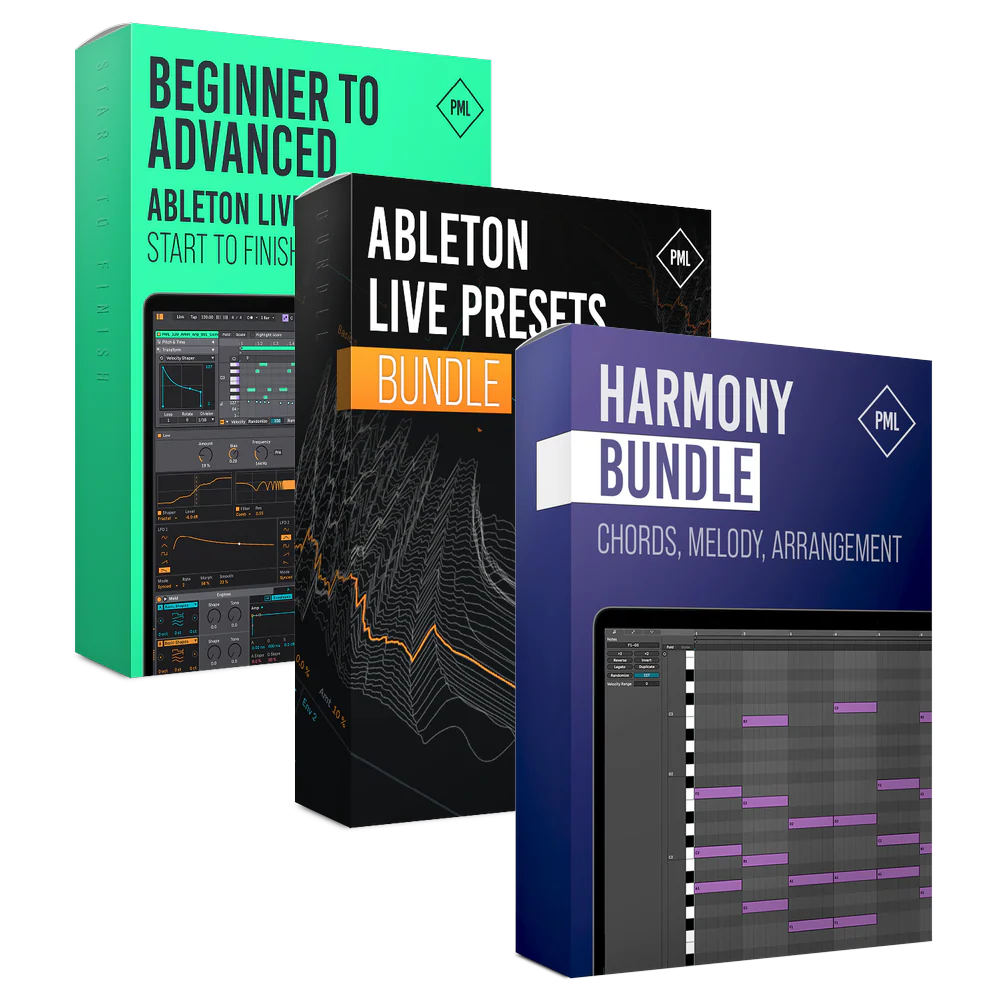
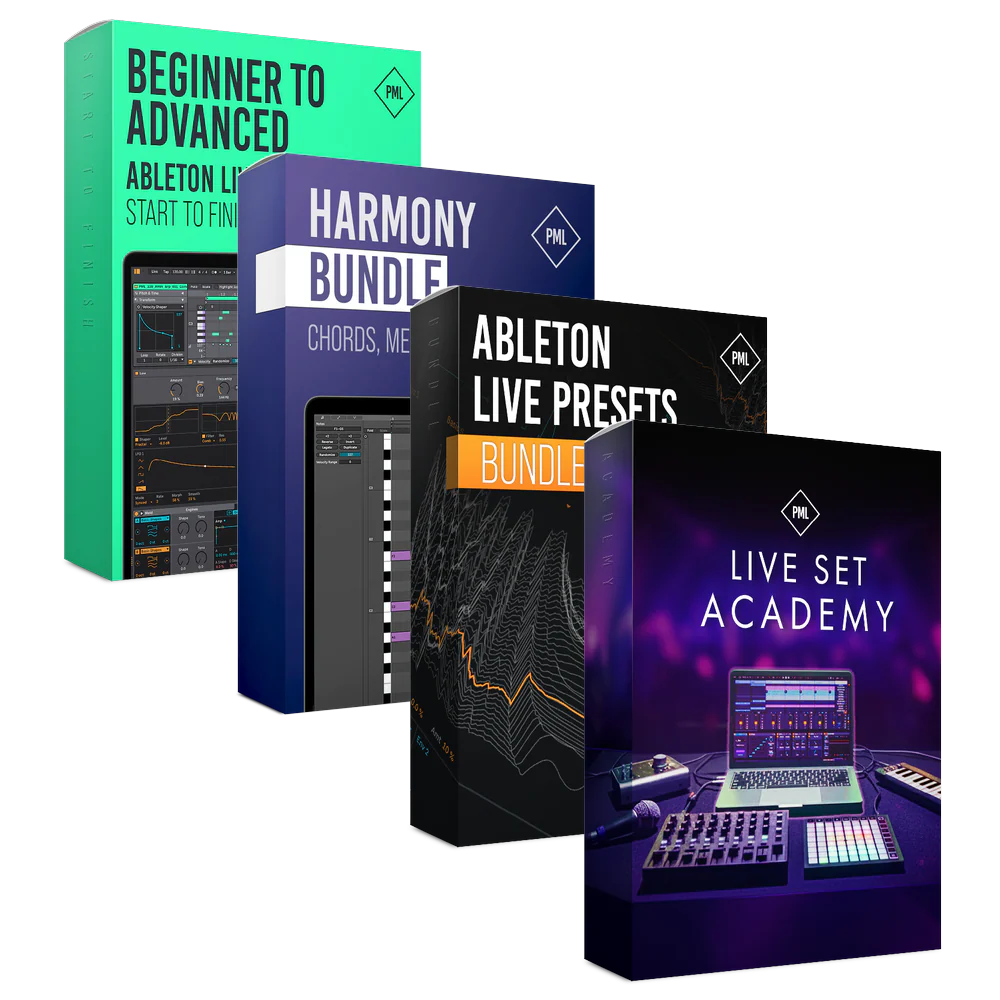
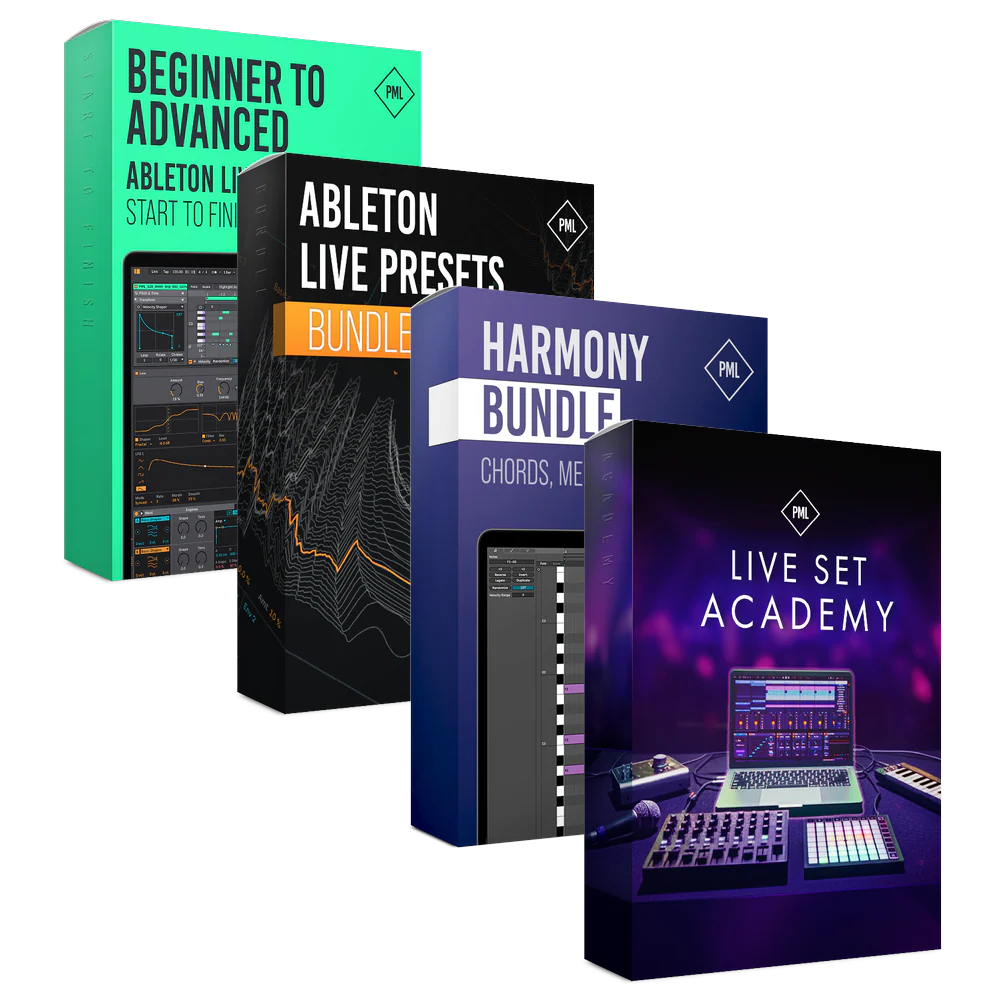
Course: Beginner to Advanced in Ableton Live 12 - Start to Finish
Learn to Produce with Ableton Live
Online Courses, Ableton Project Files, MIDI Song Starters, Samples & Racks
About This Program
This course is for anyone who wants to finally understand Ableton Live 12 inside out and turn ideas into finished tracks—without feeling overwhelmed.
Once you understand the fundamentals, Ableton becomes an intuitive tool for expressing your creative vision. In this course, we’ll guide you step by step from the basics all the way to advanced production, mixing, and mastering techniques.
Software Requirements: All sound files are compatible with Ableton Live 11.1 Suite or higher (not included with course).
What you’ll learn & get:
- Confidently navigate Ableton Live 12 from beginner to advanced
- Create full tracks from scratch: ideas, sound design, and arrangement
- Mix and master your music with clarity, balance, and loudness
- 400+ Premium Samples: One Shots, Loops, Percussion, Tops, Kicks, Hats
- 100+ MIDI Song starters to get you inspired
- 10+ Ableton Racks: Mastering Chain, Vocal Rack, Chord Generator
- 5 Fully produced and educational Ableton Project Files
Learn the Full Process
You’ll start from the ground up, learning how to confidently navigate Ableton Live 12, create ideas and turn loops into complete tracks. Along the way, you’ll produce a track from start to finish, learn to mix and master and improve your workflows!
Track from Start to Finish
Complete start-to-finish production course. Watch all tutorials at your own pace, as many times as you want. Ableton Certified Trainer Matt Tinkler creates a complete track from start-to-finish.
40+ studio sessions, 4+ hours of online video lessons.- Including Project Files
- Create ideas from scratch
- Sound design with Ableton synths
- Write chord progressions & melodies
- Arrangement: From loop to full track
Mixing & Mastering
This part is about effectively mixing & mastering with industry engineer Guido.
50 practical sessions, 4+ hours of online video lessons.- Including Project Files
- Drum and lead processing
- Vocal mixing hacks
- Create clarity, punch and depth
- Glue the track together
- Explore Multiband Compression, additive EQ and limiter techniques
Workflow Tips and Tricks
PML tutor Borys shares practical techniques to elevate your Ableton workflow!
15+ practical sessions, 2+ hours of online video lessons.- New Ableton 12 features
- Warping & audio editing
- Better drum patterns
- Sidechain techniques
- Piano roll explained
- 3 levels of reverb
Ready-to-Use Samples
Everything you need, right at your fingertips. Essential drum loops, punchy one-shots, organic percussion, orchestral themes, and rich textures.
Sound Pack Details
| Audio Files | 44.1 kHz, 24 Bps |
| Software Requirements |
|
| 5 Ableton Project Files |
|
| Sample Packs Including |
|
| MIDI |
|
Samples and presets are 100% royalty free for both professional and personal projects.
Essential Drums - Previews:
Sound Library - Teasers:
Acoustic Melodic - Previews:
Get Fully Produced Ableton Projects
Learn what it takes to get professional sounding tracks by looking inside 5 different Ableton Project Files. Pick up tricks and techniques or use as a starting point to start your first track.
Get Started here and now!
Academy Curriculum
By the end of the course, you’ll know Ableton so well that you can stop thinking about the software and fully focus on making music. We share the same techniques professional producers use, so you can work faster, smarter, and more creatively.
I. Start to Finish: 1. Intro & Downloads
In this first part of the PML Ableton Beginner’s Class you will get familiar with Ableton Live. You will learn the interface in great detail. Ableton Live will start feeling more natural to you so can start focussing on what you really want to do - making music! Includes Free Project File Download.
I. Start to Finish: 2. Drum Loop
Here is where we start with Ableton Live Certified Trainer Matt Tinkler, how to Produce a Track Step by Step. Tutorial Series explaining Everything for Beginners.
I. Start to Finish: 3. Melodies
Setting up the synthesizers in Ableton Live to write bass, pads as well as the main melodic elements of our track.
- 3.1 Bass Synthesis (13:29)
- 3.2 Bass line (8:56)
- 3.3 Bass Effects (15:00)
- 3.4 Pad Sound Design (9:32)
- 3.5 Pad Chords (6:45) Free Preview
- 3.6 Melody Sound Design (14:36)
- 3.7 Main Melody (7:56)
- 3.8 Sidechain Compression (11:10)
- 3.9 Background Arp, Lead and Pluck (9:50)
- 3.10 Background Pads (8:36)
- 3.11 Vocal Yeah (9:02)
- 3.12 Vocal Pad (7:23)
I. Start to Finish: 4. Arrangement
In this part we are taking our initial loop and turning it into a full song, using typical arrangement patterns and techniques.
I. Start to Finish: 5. Mix & Master
Almost finished with our track, we are now making sure to learn about mixing, finding a nice balance between the track elements and finalising the track to sound well different kinds of audio systems.
I. Start to Finish: 6. Outro
Thank you, goodbye and next steps with Ableton Certified Trainer Matt Tinkler, who is handing it over to Guido for in-depth Mixing and Mastering sessions.
II. Mixing and Mastering Course with Guido
Guido from CatandBeats in Amsterdam will teach you how to listen to the right elements and frequencies, which tools and FX to use and how to polish your track to radio or club quality.
- 1.1 Introduction with Tutor Guido (3:49)
- 1.2 Reverse Engineering (6:10)
- 1.3 Use Correction EQ to Your Advantage (9:29)
- 1.4 Track Playthrough (7:33)
- 2.1 Common Kick Drum Issues (15:22) Free Preview
- 2.2 Replacing the Kick (17:49)
- 2.3 Common Snares & Claps Issues (5:58)
- 2.4 Mixing in the Clap (7:31)
- 2.5 Common Hi-Hat & Shaker Issues (6:29)
- 2.6 Mixing in the Hi-Hat Loop (9:21)
- 2.7 Common Percussion Issues (5:25)
- 2.8 Mixing in the Percussion (11:07)
- 3.1 Common Bass Issues (7:40)
- 3.2 Mixing the Bass (17:58)
- 4.1 Compressors (8:56)
- 4.2 Compressing the Drums (9:12)
- 4.3 Saturation (8:09)
- 5.1 Common Harmony Issues (8:13)
- 5.2 Panning Rhythmic Group (14:38)
- 5.3 Adding Movement to Pads (21:15)
- 5.4 Fx Sends (9:20)
- 6.1 Common Lead Issues (7:08)
- 6.2 Mixing in the Lead (20:30)
- 6.3 Preparing for Vocals (9:55)
- 7.1 Common Vocal Issues (20:47)
- 7.2 Cleaning Vocals (21:00)
- 7.3 Vocal Compresison (13:08)
- 7.4 Time Based FX for Vocals (12:18)
- 7.5 Vocal Throw (9:32)
- 7.6 Vocal Width (12:42)
- 7.7 Extra Background Vocals (6:39)
- 7.8 Mixing in the Verse (9:15)
- 8.1 FX (11:12)
- 9.1 Common Breakdown Issues (4:20)
- 9.2 Mixing the Breakdown (11:14)
- 10.1 Quick Mix for Entire Arrangement (20:06)
- 10.2 Filtering (9:24)
- 10.3 FX Clean-Up (5:21)
- 11.1 Mastering (6:53)
- 11.2 Mastering Numbers (9:56)
- 11.3 Limiters & Clippers (7:41)
- 11.4 EQ (8:33)
- 11.5 Multiband Dynamics (10:21)
- 11.6 The -Nerdy Stuff- (14:08)
- 12.1 Feedback for Low End (8:42)
- 12.2 Lead Remake with Meld (18:36)
- 12.3 One Knob Automation (15:01)
- 12.4 Final Tweaks (14:04)
- 12.5 Thank You and Feedback (0:17)
New Features in Live 12 (Free Bonus Sessions I)
PML tutor Borys explains important Ableton stock plugins as well as new features in detail. He shows you what they do, what the best settings are and how they can be used creatively - all within Ableton and without having to buy anything else!
- Ableton Live 12.1 - Top New Features (Bonus Session with Borys) (15:03)
- Top 5 New Features of Ableton Live 12 (Bonus Session with Borys) (13:50)
- Top 5 Piano Roll Updates in Ableton Live 12 (Bonus Session with Borys) (12:57)
- Ableton Live Piano Roll for Drum Programming (Bonus Session with Borys) (9:20)
- A Guide to MELD (Bonus Session with Borys) (16:52)
- A Guide to ROAR (Bonus Session with Borys) (12:07)
- Interface and Navigation in Ableton Live 12 (Bonus Session with Borys) (18:49)
Free Bonus Sessions II
In this section, PML tutors go through various Ableton Live features and showcase how to use them creatively
- Your first 15 Minutes in Live 12 (Bonus Session with Matt) (16:04)
- Your first drum beat in Live 12 (Bonus Session with Matt) (27:57)
- Common Mistakes to Avoid (Bonus Session with Borys) (12:47)
- Free VST Plugins for Vocal Processing (Bonus Session with Borys) (9:37)
- 3 Sidechain Techniques, beginner to pro (Bonus Session with Borys) (8:59)
- Warping & Audio Editing (Bonus Session with Borys) (14:24)
- 3 House Drum Patterns (Bonus Session with Borys) (12:55)
- 3 Chord Patterns for Melodic House & Techno (Bonus Session with Borys) (14:55)
- Top 5 Underrated Ableton Instruments (Borys) (11:38)
- Make Unique Vocals with Auto Shift in Ableton 12.1 (Borys) (8:47)
- 7 Hidden Features of Ableton 12.1 (Borys) (9:35)
- 5 Underrated Ableton Effects (Borys) (11:20)
- 4 Secret Production Techniques in Ableton (Borys) (10:22)
- Chord Magic in Ableton 12 with Stacks (Borys) (12:09)
- 3 Levels of Reverb in Ableton 12 (Borys) (12:00)
- Live Act Setup in Ableton 12 Session View (Borys) (14:09)
- Mastering for Beginners in Ableton 12 (Borys) (18:58)
- Thank You and Feedback (0:17)
Endless Inspiration
100+ Wonderful Song-Starter MIDIs that turn ideas into tracks fast. Melodies, plucks, chords and grooves that just work.
Kicks That Always Hit
Punchy low-end without endless tweaking.
Tools To Speed Up Your Workflow
Cheat Sheets That Make Things Click
Clear, practical guides covering compression, EQ & frequencies, synthesizers, and chords—so you understand why things work.
Ableton Racks You’ll Love
Professionally built Ableton racks, including mastering and vocal chains, ready to drop into your projects and instantly improve your sound.
Vocal Rack - Instant Vocal Mixing Mastering Rack - Dial in the final sound
Details
| Audio Files | 44.1 kHz, 24 Bps |
| Software Requirements |
All sound files are compatible with Ableton Live 11.1 Suite or higher (not included with course). The course has been recorded in Ableton Live 12 Suite, which means the optional step by step course files will require a version of Live 12 to be opened. However, we designed everything in a way that you can still follow along with Live 11.1. |
| Course details |
|
| Is this course right for you? |
|
Join 10,000+ Students
I've surfed the Internet over and over and nothing comes close to your courses, so thumbs up, and keep up the good work!"
- Claude
-Reggie.
I learned masses, especially motivating as the track itself is a great piece of music. Francois your tuition is smart, concise and you always have the learner in mind. Also really liked your approach to production and impressed with your knowledge of both production and theory.
Thanks and keep up the good work!""
- Simon (Tokyo)
Next Steps After this Course
Interested in mastering a specific genre? PML full start to finish Academies give you courses, sounds, and lessons created by professionals industry to give you what you need to make label-ready music!
Invest In Yourself
FAQs and Requirements
When does the course start and finish?
The course starts now and never ends! It is a completely self-paced online
course -
you
decide
when you start and when
you finish.
How long do I have access to the
courses?
How does lifetime access sound?
After enrolling, you have unlimited access to the courses for as long as you like -
across
any and all devices you own.
What type of audio files are the
samples?
24bit 44.1K WAV Files
What if I am unhappy with my
order?
We
would never want you to be
unhappy! If you are unsatisfied with your purchase, contact us in the first 48 hours
and
we
will give you a full refund - due to the digital download nature of the optional
sound
packs, we can only refund the courses parts. No refund on bulk / pack orders. One
refund
per
person.
How do I access course files, if any are
included?
If you're getting the
basic course option, a download link will be provided above or below the video of
the
first
or second lecture of the course (usually named 'Setup & Downloads'). In case you're
getting
the course with one of the pack options, the additional packs will be delivered to
you
via
email.
Where will I be able to log into my
course?
The courses are hosted on
another server. Once you've bought a course, you'll be getting a
mail
saying "Redeem your copy
of "Course …"". Follow the "Confirm your account" link in that mail and you will
end
up
on
the
course-platform. There,
you'll need to pick your password and log in. Your profile info will be already
prepared
for
you. You can then always
log in here:
PML
Courses Login.
If you already have a courses account, the new course will be added to your profile
(assuming
you
buy it using the same
email address associated with that account). If you have an account but buy a new
course
using a
different email, get in
touch and we will manually add it to your existing account.
There is one way of watching videos offline for example if you are travelling with
an
iPad
and
you are not always within
reach of a stable internet connection: We have activated the option of MyTeachable
accounts
on
our videos so you can
watch videos offline through the “Teachable Online Courses” iOS App.
I already own some courses/packs. Can I
upgrade?
You already bought some
courses / packs and want to upgrade? Get
in touch for
your custom offer!
Will future courses be automatically added to
my
bundle?
The bundle is a
snapshot including the available courses and packs at the time of your purchase.
Future
courses / packs will not be automatically included.
Is this a subscription to future
products?
No. This is a one time payment
for the courses/packs currently included in the bundle
What if I have further
questions?
We
are available to help you with any
questions, get in touch via:
[email protected]
All sound files are compatible with Ableton Live 11.1 Suite or higher (not included with course).
The course has been recorded in Ableton Live 12 Suite, which means the optional step by step course files will require a version of Live 12 to be opened. However, we designed everything in a way that you can still follow along with Live 11.1.
Product Information
Product Information
Shipping & Returns
Shipping & Returns
Description
Learn to Produce with Ableton Live
Online Courses, Ableton Project Files, MIDI Song Starters, Samples & Racks
About This Program
This course is for anyone who wants to finally understand Ableton Live 12 inside out and turn ideas into finished tracks—without feeling overwhelmed.
Once you understand the fundamentals, Ableton becomes an intuitive tool for expressing your creative vision. In this course, we’ll guide you step by step from the basics all the way to advanced production, mixing, and mastering techniques.
Software Requirements: All sound files are compatible with Ableton Live 11.1 Suite or higher (not included with course).
What you’ll learn & get:
- Confidently navigate Ableton Live 12 from beginner to advanced
- Create full tracks from scratch: ideas, sound design, and arrangement
- Mix and master your music with clarity, balance, and loudness
- 400+ Premium Samples: One Shots, Loops, Percussion, Tops, Kicks, Hats
- 100+ MIDI Song starters to get you inspired
- 10+ Ableton Racks: Mastering Chain, Vocal Rack, Chord Generator
- 5 Fully produced and educational Ableton Project Files
Learn the Full Process
You’ll start from the ground up, learning how to confidently navigate Ableton Live 12, create ideas and turn loops into complete tracks. Along the way, you’ll produce a track from start to finish, learn to mix and master and improve your workflows!
Track from Start to Finish
Complete start-to-finish production course. Watch all tutorials at your own pace, as many times as you want. Ableton Certified Trainer Matt Tinkler creates a complete track from start-to-finish.
40+ studio sessions, 4+ hours of online video lessons.- Including Project Files
- Create ideas from scratch
- Sound design with Ableton synths
- Write chord progressions & melodies
- Arrangement: From loop to full track
Mixing & Mastering
This part is about effectively mixing & mastering with industry engineer Guido.
50 practical sessions, 4+ hours of online video lessons.- Including Project Files
- Drum and lead processing
- Vocal mixing hacks
- Create clarity, punch and depth
- Glue the track together
- Explore Multiband Compression, additive EQ and limiter techniques
Workflow Tips and Tricks
PML tutor Borys shares practical techniques to elevate your Ableton workflow!
15+ practical sessions, 2+ hours of online video lessons.- New Ableton 12 features
- Warping & audio editing
- Better drum patterns
- Sidechain techniques
- Piano roll explained
- 3 levels of reverb
Ready-to-Use Samples
Everything you need, right at your fingertips. Essential drum loops, punchy one-shots, organic percussion, orchestral themes, and rich textures.
Sound Pack Details
| Audio Files | 44.1 kHz, 24 Bps |
| Software Requirements |
|
| 5 Ableton Project Files |
|
| Sample Packs Including |
|
| MIDI |
|
Samples and presets are 100% royalty free for both professional and personal projects.
Essential Drums - Previews:
Sound Library - Teasers:
Acoustic Melodic - Previews:
Get Fully Produced Ableton Projects
Learn what it takes to get professional sounding tracks by looking inside 5 different Ableton Project Files. Pick up tricks and techniques or use as a starting point to start your first track.
Get Started here and now!
Academy Curriculum
By the end of the course, you’ll know Ableton so well that you can stop thinking about the software and fully focus on making music. We share the same techniques professional producers use, so you can work faster, smarter, and more creatively.
I. Start to Finish: 1. Intro & Downloads
In this first part of the PML Ableton Beginner’s Class you will get familiar with Ableton Live. You will learn the interface in great detail. Ableton Live will start feeling more natural to you so can start focussing on what you really want to do - making music! Includes Free Project File Download.
I. Start to Finish: 2. Drum Loop
Here is where we start with Ableton Live Certified Trainer Matt Tinkler, how to Produce a Track Step by Step. Tutorial Series explaining Everything for Beginners.
I. Start to Finish: 3. Melodies
Setting up the synthesizers in Ableton Live to write bass, pads as well as the main melodic elements of our track.
- 3.1 Bass Synthesis (13:29)
- 3.2 Bass line (8:56)
- 3.3 Bass Effects (15:00)
- 3.4 Pad Sound Design (9:32)
- 3.5 Pad Chords (6:45) Free Preview
- 3.6 Melody Sound Design (14:36)
- 3.7 Main Melody (7:56)
- 3.8 Sidechain Compression (11:10)
- 3.9 Background Arp, Lead and Pluck (9:50)
- 3.10 Background Pads (8:36)
- 3.11 Vocal Yeah (9:02)
- 3.12 Vocal Pad (7:23)
I. Start to Finish: 4. Arrangement
In this part we are taking our initial loop and turning it into a full song, using typical arrangement patterns and techniques.
I. Start to Finish: 5. Mix & Master
Almost finished with our track, we are now making sure to learn about mixing, finding a nice balance between the track elements and finalising the track to sound well different kinds of audio systems.
I. Start to Finish: 6. Outro
Thank you, goodbye and next steps with Ableton Certified Trainer Matt Tinkler, who is handing it over to Guido for in-depth Mixing and Mastering sessions.
II. Mixing and Mastering Course with Guido
Guido from CatandBeats in Amsterdam will teach you how to listen to the right elements and frequencies, which tools and FX to use and how to polish your track to radio or club quality.
- 1.1 Introduction with Tutor Guido (3:49)
- 1.2 Reverse Engineering (6:10)
- 1.3 Use Correction EQ to Your Advantage (9:29)
- 1.4 Track Playthrough (7:33)
- 2.1 Common Kick Drum Issues (15:22) Free Preview
- 2.2 Replacing the Kick (17:49)
- 2.3 Common Snares & Claps Issues (5:58)
- 2.4 Mixing in the Clap (7:31)
- 2.5 Common Hi-Hat & Shaker Issues (6:29)
- 2.6 Mixing in the Hi-Hat Loop (9:21)
- 2.7 Common Percussion Issues (5:25)
- 2.8 Mixing in the Percussion (11:07)
- 3.1 Common Bass Issues (7:40)
- 3.2 Mixing the Bass (17:58)
- 4.1 Compressors (8:56)
- 4.2 Compressing the Drums (9:12)
- 4.3 Saturation (8:09)
- 5.1 Common Harmony Issues (8:13)
- 5.2 Panning Rhythmic Group (14:38)
- 5.3 Adding Movement to Pads (21:15)
- 5.4 Fx Sends (9:20)
- 6.1 Common Lead Issues (7:08)
- 6.2 Mixing in the Lead (20:30)
- 6.3 Preparing for Vocals (9:55)
- 7.1 Common Vocal Issues (20:47)
- 7.2 Cleaning Vocals (21:00)
- 7.3 Vocal Compresison (13:08)
- 7.4 Time Based FX for Vocals (12:18)
- 7.5 Vocal Throw (9:32)
- 7.6 Vocal Width (12:42)
- 7.7 Extra Background Vocals (6:39)
- 7.8 Mixing in the Verse (9:15)
- 8.1 FX (11:12)
- 9.1 Common Breakdown Issues (4:20)
- 9.2 Mixing the Breakdown (11:14)
- 10.1 Quick Mix for Entire Arrangement (20:06)
- 10.2 Filtering (9:24)
- 10.3 FX Clean-Up (5:21)
- 11.1 Mastering (6:53)
- 11.2 Mastering Numbers (9:56)
- 11.3 Limiters & Clippers (7:41)
- 11.4 EQ (8:33)
- 11.5 Multiband Dynamics (10:21)
- 11.6 The -Nerdy Stuff- (14:08)
- 12.1 Feedback for Low End (8:42)
- 12.2 Lead Remake with Meld (18:36)
- 12.3 One Knob Automation (15:01)
- 12.4 Final Tweaks (14:04)
- 12.5 Thank You and Feedback (0:17)
New Features in Live 12 (Free Bonus Sessions I)
PML tutor Borys explains important Ableton stock plugins as well as new features in detail. He shows you what they do, what the best settings are and how they can be used creatively - all within Ableton and without having to buy anything else!
- Ableton Live 12.1 - Top New Features (Bonus Session with Borys) (15:03)
- Top 5 New Features of Ableton Live 12 (Bonus Session with Borys) (13:50)
- Top 5 Piano Roll Updates in Ableton Live 12 (Bonus Session with Borys) (12:57)
- Ableton Live Piano Roll for Drum Programming (Bonus Session with Borys) (9:20)
- A Guide to MELD (Bonus Session with Borys) (16:52)
- A Guide to ROAR (Bonus Session with Borys) (12:07)
- Interface and Navigation in Ableton Live 12 (Bonus Session with Borys) (18:49)
Free Bonus Sessions II
In this section, PML tutors go through various Ableton Live features and showcase how to use them creatively
- Your first 15 Minutes in Live 12 (Bonus Session with Matt) (16:04)
- Your first drum beat in Live 12 (Bonus Session with Matt) (27:57)
- Common Mistakes to Avoid (Bonus Session with Borys) (12:47)
- Free VST Plugins for Vocal Processing (Bonus Session with Borys) (9:37)
- 3 Sidechain Techniques, beginner to pro (Bonus Session with Borys) (8:59)
- Warping & Audio Editing (Bonus Session with Borys) (14:24)
- 3 House Drum Patterns (Bonus Session with Borys) (12:55)
- 3 Chord Patterns for Melodic House & Techno (Bonus Session with Borys) (14:55)
- Top 5 Underrated Ableton Instruments (Borys) (11:38)
- Make Unique Vocals with Auto Shift in Ableton 12.1 (Borys) (8:47)
- 7 Hidden Features of Ableton 12.1 (Borys) (9:35)
- 5 Underrated Ableton Effects (Borys) (11:20)
- 4 Secret Production Techniques in Ableton (Borys) (10:22)
- Chord Magic in Ableton 12 with Stacks (Borys) (12:09)
- 3 Levels of Reverb in Ableton 12 (Borys) (12:00)
- Live Act Setup in Ableton 12 Session View (Borys) (14:09)
- Mastering for Beginners in Ableton 12 (Borys) (18:58)
- Thank You and Feedback (0:17)
Endless Inspiration
100+ Wonderful Song-Starter MIDIs that turn ideas into tracks fast. Melodies, plucks, chords and grooves that just work.
Kicks That Always Hit
Punchy low-end without endless tweaking.
Tools To Speed Up Your Workflow
Cheat Sheets That Make Things Click
Clear, practical guides covering compression, EQ & frequencies, synthesizers, and chords—so you understand why things work.
Ableton Racks You’ll Love
Professionally built Ableton racks, including mastering and vocal chains, ready to drop into your projects and instantly improve your sound.
Vocal Rack - Instant Vocal Mixing Mastering Rack - Dial in the final sound
Details
| Audio Files | 44.1 kHz, 24 Bps |
| Software Requirements |
All sound files are compatible with Ableton Live 11.1 Suite or higher (not included with course). The course has been recorded in Ableton Live 12 Suite, which means the optional step by step course files will require a version of Live 12 to be opened. However, we designed everything in a way that you can still follow along with Live 11.1. |
| Course details |
|
| Is this course right for you? |
|
Join 10,000+ Students
I've surfed the Internet over and over and nothing comes close to your courses, so thumbs up, and keep up the good work!"
- Claude
-Reggie.
I learned masses, especially motivating as the track itself is a great piece of music. Francois your tuition is smart, concise and you always have the learner in mind. Also really liked your approach to production and impressed with your knowledge of both production and theory.
Thanks and keep up the good work!""
- Simon (Tokyo)
Next Steps After this Course
Interested in mastering a specific genre? PML full start to finish Academies give you courses, sounds, and lessons created by professionals industry to give you what you need to make label-ready music!
Invest In Yourself
FAQs and Requirements
When does the course start and finish?
The course starts now and never ends! It is a completely self-paced online
course -
you
decide
when you start and when
you finish.
How long do I have access to the
courses?
How does lifetime access sound?
After enrolling, you have unlimited access to the courses for as long as you like -
across
any and all devices you own.
What type of audio files are the
samples?
24bit 44.1K WAV Files
What if I am unhappy with my
order?
We
would never want you to be
unhappy! If you are unsatisfied with your purchase, contact us in the first 48 hours
and
we
will give you a full refund - due to the digital download nature of the optional
sound
packs, we can only refund the courses parts. No refund on bulk / pack orders. One
refund
per
person.
How do I access course files, if any are
included?
If you're getting the
basic course option, a download link will be provided above or below the video of
the
first
or second lecture of the course (usually named 'Setup & Downloads'). In case you're
getting
the course with one of the pack options, the additional packs will be delivered to
you
via
email.
Where will I be able to log into my
course?
The courses are hosted on
another server. Once you've bought a course, you'll be getting a
mail
saying "Redeem your copy
of "Course …"". Follow the "Confirm your account" link in that mail and you will
end
up
on
the
course-platform. There,
you'll need to pick your password and log in. Your profile info will be already
prepared
for
you. You can then always
log in here:
PML
Courses Login.
If you already have a courses account, the new course will be added to your profile
(assuming
you
buy it using the same
email address associated with that account). If you have an account but buy a new
course
using a
different email, get in
touch and we will manually add it to your existing account.
There is one way of watching videos offline for example if you are travelling with
an
iPad
and
you are not always within
reach of a stable internet connection: We have activated the option of MyTeachable
accounts
on
our videos so you can
watch videos offline through the “Teachable Online Courses” iOS App.
I already own some courses/packs. Can I
upgrade?
You already bought some
courses / packs and want to upgrade? Get
in touch for
your custom offer!
Will future courses be automatically added to
my
bundle?
The bundle is a
snapshot including the available courses and packs at the time of your purchase.
Future
courses / packs will not be automatically included.
Is this a subscription to future
products?
No. This is a one time payment
for the courses/packs currently included in the bundle
What if I have further
questions?
We
are available to help you with any
questions, get in touch via:
[email protected]
All sound files are compatible with Ableton Live 11.1 Suite or higher (not included with course).
The course has been recorded in Ableton Live 12 Suite, which means the optional step by step course files will require a version of Live 12 to be opened. However, we designed everything in a way that you can still follow along with Live 11.1.