Get Now
\nFAQs and Requirements
\nWhen does the course start and finish?
The course starts now and\n never ends! It is a completely self-paced online course - you decide when you start\n and when you finish.
How long do I have access to the courses?
How does lifetime\n access sound? After enrolling, you have unlimited access to the courses for as long\n as you like - across any and all devices you own.
How do I download files?
After purchase you will receive an email\n with your personal download link - it will be sent to the email you use for the\n purchase. If you don’t see it, quickly check your spam folder and if you have any\n issues, email [email protected].
What if I am unhappy with my order?
We would never want you to be\n unhappy! If you are unsatisfied with your purchase, contact us in the first 48 hours\n and we will give you a full refund - due to the digital download nature of the\n optional sound packs, we can only refund the courses parts. No refund on bulk / pack\n orders. One refund per person.
How do I access course files, if any are included?
If you're\n getting the basic course option, a download link will be provided above or below the\n video of the first or second lecture of the course (usually named 'Setup &\n Downloads'). In case you're getting the course with one of the pack options, the\n additional packs will be delivered to you via email.
Where will I be able to log into my course?
The courses are\n hosted on another server. Once you've bought a course, you'll be getting a mail\n saying \"Redeem your copy of \"Course …\"\". Follow the \"Confirm your account\" link in\n that mail and you will end up on the course-platform. There, you'll need to pick\n your password and log in. Your profile info will be already prepared for you. You\n can then always log in here:
If you already have a courses account, the new course will be added to your profile\n (assuming you buy it using the same email address associated with that account). If\n you have an account but buy a new course using a different email, get in touch and\n we will manually add it to your existing account.
\nThere is one way of watching videos offline for example if you are traveling with an\n iPad and you are not always within reach of a stable internet connection: We have\n activated the option of MyTeachable accounts on our videos so you can watch videos\n offline through the “Teachable Online Courses” iOS App.
\nI already own some courses/packs. Can I upgrade?
You already\n bought some courses / packs and want to upgrade? Get\n in touch for your custom offer!
What if I have further questions?
We are available to help you\n with any questions, get in touch via: [email protected]
- \n
- Ableton Live 11.1 Suite (or higher) \n
- Serum2 V. 2.0.18 (or higher) \n

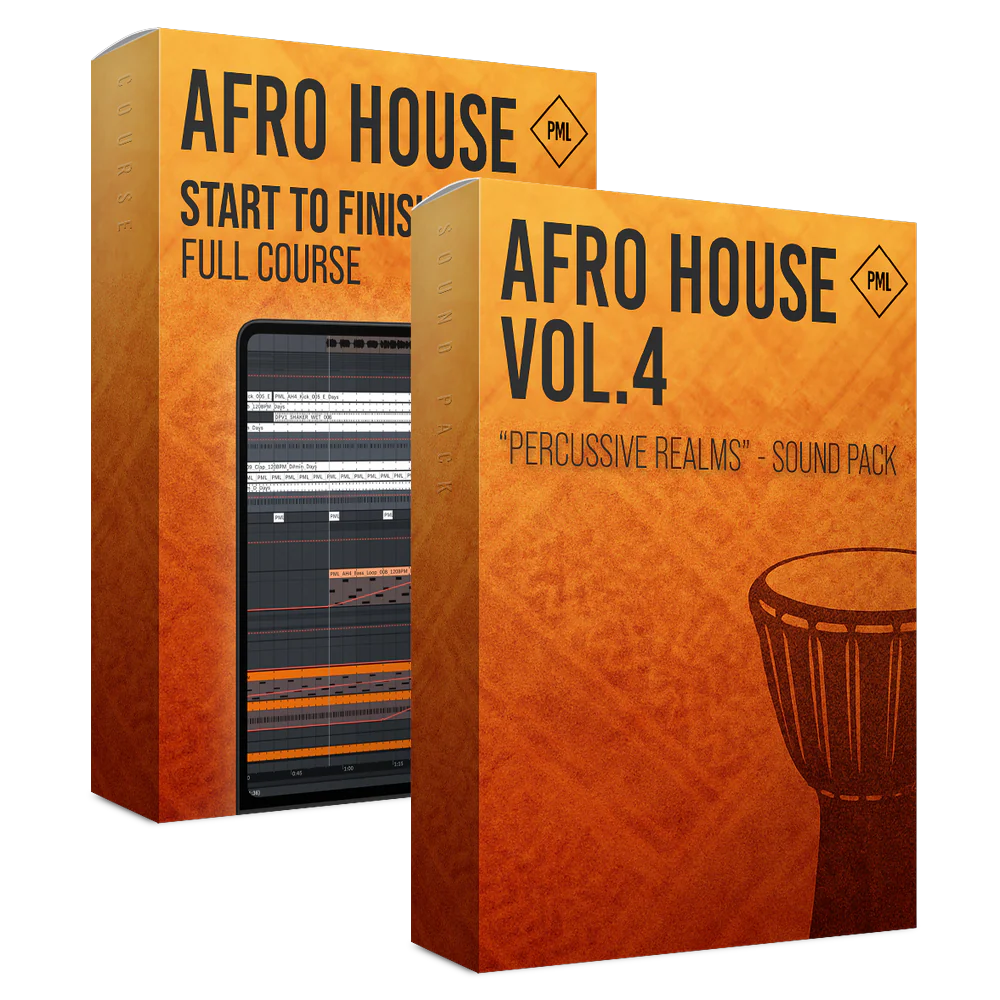
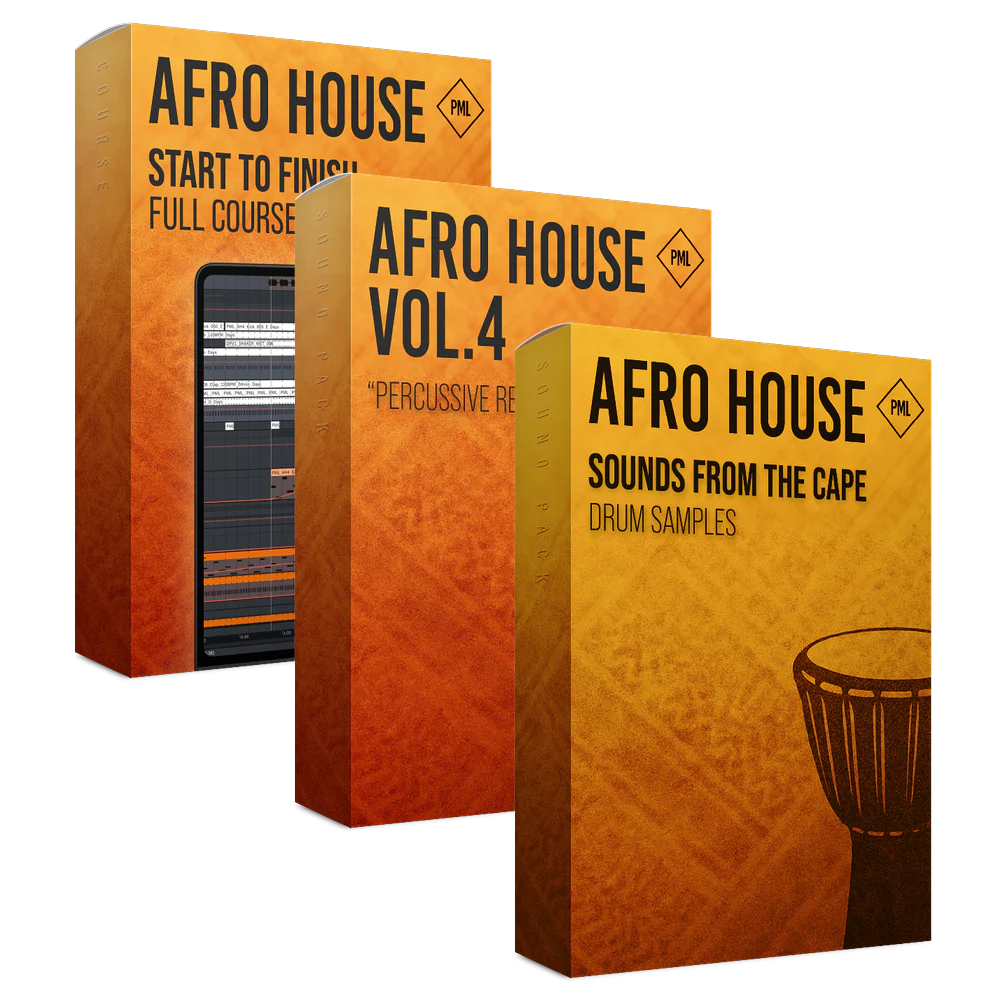
Course: Afro House from Start to Finish
Rhythm & Soul: The Afro House Blueprint
Produce a Groovy Afro House Track from Start to Finish

About this Course
Step into the heart of Afro House production with this start to finish course, inspired by artists like Jazzy, Kilimanjaro, Rivo, Keinemusik and labels such as Chaos.
Required Software: Ableton Live 11.1 (or higher) & Serum2 V. 2.0.18 (or higher)
What You Are Getting
- 3+ Hours of In-Depth Online Sessions: Feels like you’re right in the studio
- Idea Generation: Learn how to build rich, percussive foundations
- Groove-Focused Drum Design: Craft organic rhythms with layered percussion
- Melodies & Harmony Writing: Explore melodic elements
- Vocal Processing Techniques: Shape and integrate vocals and harmonies
- Arrangement Techniques: Build breakdowns, build-ups, and drops
- Mixing & Mastering: Balancing and finalizing your track, loud and transparent

Course Impressions


Course Curriculum
- 2.1 - Setting Up the Project Workflow (1:41)
- 2.2 - Designing the Kick & Sub Groove (3:49)
- 2.3 - Layering the Kick Top (3:56)
- 2.4 - Adding Shakers for Groove (4:01)
- 2.5 - Creating the Bassline (5:29)
- 2.6 - Writing the Piano Progression (4:20)
- 2.7 - Grouping and Processing Sounds (3:40)
- 2.8 - Adding the First Lead Saw (5:19)
- 2.9 - Creating Warm Pad Layers (2:58)
- 2.10 - Building Lead Textures & String (6:48)
- 2.11 - Designing the Wew Lead (1:46) Free Preview
- 2.12 - Adding a Third Lead Saw Layer (2:33)
- 2.13 - Introducing Toms for Movement (4:03)
- 2.14 - Creating Drum Fills & Clave Rhythms (3:52)
- 2.15 - Laying Down the Main Hats (4:48)
- 2.16 - Adding Rim Layers Pt. 1 (6:22)
- 2.17 - Adding Rim Layers Pt. 2 (5:17)
- 2.18 - Enhancing the Low End with More Bass (4:28)
- 2.19 - Adding Vocal Shots & Accents (7:38) Free Preview
- 2.20 - Creating the First 8 Bars of the Drop (6:30)
- 2.21 - Drop Playthrough & Final Touches (1:37)
- 3.1 - Structuring the Arrangement (3:21)
- 3.2 - Placing Piano and Pad Layers (1:32)
- 3.3 - Building the Lead Saw Sections (2:02)
- 3.4 - Introducing the Main Vocal (1:13)
- 3.5 - Processing the Main Vocal (4:23)
- 3.6 - Developing the Breakdown Pt. 1 (2:57)
- 3.7 - Developing the Breakdown Pt. 2 (2:04)
- 3.8 - Developing the Breakdown Pt. 3 (3:20)
- 3.9 - Adding Vocal Harmonies (4:16)
- 3.10 - Introducing the Female Vocal (1:20)
- 3.11 - Processing the Female Vocal (4:50) Free Preview
- 3.12 - Finalizing Break Percussion (1:35)
- 3.13 - Finalizing Break Melodics (2:54)
- 3.14 - Creating Tension With the Lead Saws (1:50)
- 3.15 - Full Breakdown Playthrough (1:37)
- 3.16 - Break & Drop Playthrough (3:41)
- 4.1 - Defining the Track Arrangement (2:02)
- 4.2 - ing the Drop 1 (3:06) Free Preview
- 4.3 - Developing the Verse (3:39)
- 4.4 - Build Up the Verse (4:33)
- 4.5 - Finishing the Drop 1 (5:30)
- 4.6 - Drop 1 Playthrough and Explanation (2:59)
- 4.7 - Building the Bridge (3:47)
- 4.8 - Bridge Playthrough (1:14)
- 4.9 - Radio Edit Playthrough and Little Adjustments (4:46)
- 6.1 - Full Playthrough & Mixing Notes (5:43)
- 6.2 - Tweaking the Intro Lead Saw (1:28)
- 6.3 - Brightening the Lead Saws (2:55)
- 6.4 - Cleaning Up the Rims (2:17)
- 6.5 - Cymbal Adjustments & Testing (1:25)
- 6.6 - Refining the Kick Sound (3:07)
- 6.7 - Adding Return Effects (4:49)
- 6.8 - Testing Drop Automations (2:38)
- 6.9 - Final Mastering Session (3:54)
- 6.10 - Quick Mastering Tips (2:32)
- 6.11 - Last Mix Tweaks (6:19)
- 6.12 - Knowing When the Track Is Finished (1:30)
- 6.13 - Full Track Playthrough (4:59)
- 6.14 - Congratulations (0:48)
- 6.15 - Thank you and Feedback (0:17)

Your Instructor

Leo Lauretti
Born in São Paulo, Brazil, Leo Lauretti started his music career in 2013.
With releases on SONY Music/Liboo, Armada, Enhanced Music, Colorize, Sekora, Leo has received multiple supports from producers like Armin Van Buuren, Above & Beyond, Paul Van Dyk, Ferry Corsten, Cosmic Gate, Nicky Romero, Sultan + Shepard, and many more.
Leo has a vast knowledge in music production, having worked in many genres like Melodic House, Progressive House, Progressive Trance, Dubstep, Techno, Melodic Techno, and many more.
Leo owns his school and youtube Channel, Abstrakt Music Lab, in which he helps music producers develop their sounds, their production skills and the overall quality of their productions
Get Now
FAQs and Requirements
When does the course start and finish?
The course starts now and
never ends! It is a completely self-paced online course - you decide when you start
and when you finish.
How long do I have access to the courses?
How does lifetime
access sound? After enrolling, you have unlimited access to the courses for as long
as you like - across any and all devices you own.
How do I download files?
After purchase you will receive an email
with your personal download link - it will be sent to the email you use for the
purchase. If you don’t see it, quickly check your spam folder and if you have any
issues, email [email protected].
What if I am unhappy with my order?
We would never want you to be
unhappy! If you are unsatisfied with your purchase, contact us in the first 48 hours
and we will give you a full refund - due to the digital download nature of the
optional sound packs, we can only refund the courses parts. No refund on bulk / pack
orders. One refund per person.
How do I access course files, if any are included?
If you're
getting the basic course option, a download link will be provided above or below the
video of the first or second lecture of the course (usually named 'Setup &
Downloads'). In case you're getting the course with one of the pack options, the
additional packs will be delivered to you via email.
Where will I be able to log into my course?
The courses are
hosted on another server. Once you've bought a course, you'll be getting a mail
saying "Redeem your copy of "Course …"". Follow the "Confirm your account" link in
that mail and you will end up on the course-platform. There, you'll need to pick
your password and log in. Your profile info will be already prepared for you. You
can then always log in here:
If you already have a courses account, the new course will be added to your profile (assuming you buy it using the same email address associated with that account). If you have an account but buy a new course using a different email, get in touch and we will manually add it to your existing account.
There is one way of watching videos offline for example if you are traveling with an iPad and you are not always within reach of a stable internet connection: We have activated the option of MyTeachable accounts on our videos so you can watch videos offline through the “Teachable Online Courses” iOS App.
I already own some courses/packs. Can I upgrade?
You already
bought some courses / packs and want to upgrade? Get
in touch for your custom offer!
What if I have further questions?
We are available to help you
with any questions, get in touch via: [email protected]
- Ableton Live 11.1 Suite (or higher)
- Serum2 V. 2.0.18 (or higher)
Original: $65.66
-70%$65.66
$19.70More Images
Course: Afro House from Start to Finish
Rhythm & Soul: The Afro House Blueprint
Produce a Groovy Afro House Track from Start to Finish
About this Course
Step into the heart of Afro House production with this start to finish course, inspired by artists like Jazzy, Kilimanjaro, Rivo, Keinemusik and labels such as Chaos.
Required Software: Ableton Live 11.1 (or higher) & Serum2 V. 2.0.18 (or higher)
What You Are Getting
- 3+ Hours of In-Depth Online Sessions: Feels like you’re right in the studio
- Idea Generation: Learn how to build rich, percussive foundations
- Groove-Focused Drum Design: Craft organic rhythms with layered percussion
- Melodies & Harmony Writing: Explore melodic elements
- Vocal Processing Techniques: Shape and integrate vocals and harmonies
- Arrangement Techniques: Build breakdowns, build-ups, and drops
- Mixing & Mastering: Balancing and finalizing your track, loud and transparent
Course Impressions
Course Curriculum
- 2.1 - Setting Up the Project Workflow (1:41)
- 2.2 - Designing the Kick & Sub Groove (3:49)
- 2.3 - Layering the Kick Top (3:56)
- 2.4 - Adding Shakers for Groove (4:01)
- 2.5 - Creating the Bassline (5:29)
- 2.6 - Writing the Piano Progression (4:20)
- 2.7 - Grouping and Processing Sounds (3:40)
- 2.8 - Adding the First Lead Saw (5:19)
- 2.9 - Creating Warm Pad Layers (2:58)
- 2.10 - Building Lead Textures & String (6:48)
- 2.11 - Designing the Wew Lead (1:46) Free Preview
- 2.12 - Adding a Third Lead Saw Layer (2:33)
- 2.13 - Introducing Toms for Movement (4:03)
- 2.14 - Creating Drum Fills & Clave Rhythms (3:52)
- 2.15 - Laying Down the Main Hats (4:48)
- 2.16 - Adding Rim Layers Pt. 1 (6:22)
- 2.17 - Adding Rim Layers Pt. 2 (5:17)
- 2.18 - Enhancing the Low End with More Bass (4:28)
- 2.19 - Adding Vocal Shots & Accents (7:38) Free Preview
- 2.20 - Creating the First 8 Bars of the Drop (6:30)
- 2.21 - Drop Playthrough & Final Touches (1:37)
- 3.1 - Structuring the Arrangement (3:21)
- 3.2 - Placing Piano and Pad Layers (1:32)
- 3.3 - Building the Lead Saw Sections (2:02)
- 3.4 - Introducing the Main Vocal (1:13)
- 3.5 - Processing the Main Vocal (4:23)
- 3.6 - Developing the Breakdown Pt. 1 (2:57)
- 3.7 - Developing the Breakdown Pt. 2 (2:04)
- 3.8 - Developing the Breakdown Pt. 3 (3:20)
- 3.9 - Adding Vocal Harmonies (4:16)
- 3.10 - Introducing the Female Vocal (1:20)
- 3.11 - Processing the Female Vocal (4:50) Free Preview
- 3.12 - Finalizing Break Percussion (1:35)
- 3.13 - Finalizing Break Melodics (2:54)
- 3.14 - Creating Tension With the Lead Saws (1:50)
- 3.15 - Full Breakdown Playthrough (1:37)
- 3.16 - Break & Drop Playthrough (3:41)
- 4.1 - Defining the Track Arrangement (2:02)
- 4.2 - ing the Drop 1 (3:06) Free Preview
- 4.3 - Developing the Verse (3:39)
- 4.4 - Build Up the Verse (4:33)
- 4.5 - Finishing the Drop 1 (5:30)
- 4.6 - Drop 1 Playthrough and Explanation (2:59)
- 4.7 - Building the Bridge (3:47)
- 4.8 - Bridge Playthrough (1:14)
- 4.9 - Radio Edit Playthrough and Little Adjustments (4:46)
- 6.1 - Full Playthrough & Mixing Notes (5:43)
- 6.2 - Tweaking the Intro Lead Saw (1:28)
- 6.3 - Brightening the Lead Saws (2:55)
- 6.4 - Cleaning Up the Rims (2:17)
- 6.5 - Cymbal Adjustments & Testing (1:25)
- 6.6 - Refining the Kick Sound (3:07)
- 6.7 - Adding Return Effects (4:49)
- 6.8 - Testing Drop Automations (2:38)
- 6.9 - Final Mastering Session (3:54)
- 6.10 - Quick Mastering Tips (2:32)
- 6.11 - Last Mix Tweaks (6:19)
- 6.12 - Knowing When the Track Is Finished (1:30)
- 6.13 - Full Track Playthrough (4:59)
- 6.14 - Congratulations (0:48)
- 6.15 - Thank you and Feedback (0:17)
Your Instructor
Leo Lauretti
Born in São Paulo, Brazil, Leo Lauretti started his music career in 2013.
With releases on SONY Music/Liboo, Armada, Enhanced Music, Colorize, Sekora, Leo has received multiple supports from producers like Armin Van Buuren, Above & Beyond, Paul Van Dyk, Ferry Corsten, Cosmic Gate, Nicky Romero, Sultan + Shepard, and many more.
Leo has a vast knowledge in music production, having worked in many genres like Melodic House, Progressive House, Progressive Trance, Dubstep, Techno, Melodic Techno, and many more.
Leo owns his school and youtube Channel, Abstrakt Music Lab, in which he helps music producers develop their sounds, their production skills and the overall quality of their productions
Get Now
FAQs and Requirements
When does the course start and finish?
The course starts now and
never ends! It is a completely self-paced online course - you decide when you start
and when you finish.
How long do I have access to the courses?
How does lifetime
access sound? After enrolling, you have unlimited access to the courses for as long
as you like - across any and all devices you own.
How do I download files?
After purchase you will receive an email
with your personal download link - it will be sent to the email you use for the
purchase. If you don’t see it, quickly check your spam folder and if you have any
issues, email [email protected].
What if I am unhappy with my order?
We would never want you to be
unhappy! If you are unsatisfied with your purchase, contact us in the first 48 hours
and we will give you a full refund - due to the digital download nature of the
optional sound packs, we can only refund the courses parts. No refund on bulk / pack
orders. One refund per person.
How do I access course files, if any are included?
If you're
getting the basic course option, a download link will be provided above or below the
video of the first or second lecture of the course (usually named 'Setup &
Downloads'). In case you're getting the course with one of the pack options, the
additional packs will be delivered to you via email.
Where will I be able to log into my course?
The courses are
hosted on another server. Once you've bought a course, you'll be getting a mail
saying "Redeem your copy of "Course …"". Follow the "Confirm your account" link in
that mail and you will end up on the course-platform. There, you'll need to pick
your password and log in. Your profile info will be already prepared for you. You
can then always log in here:
If you already have a courses account, the new course will be added to your profile (assuming you buy it using the same email address associated with that account). If you have an account but buy a new course using a different email, get in touch and we will manually add it to your existing account.
There is one way of watching videos offline for example if you are traveling with an iPad and you are not always within reach of a stable internet connection: We have activated the option of MyTeachable accounts on our videos so you can watch videos offline through the “Teachable Online Courses” iOS App.
I already own some courses/packs. Can I upgrade?
You already
bought some courses / packs and want to upgrade? Get
in touch for your custom offer!
What if I have further questions?
We are available to help you
with any questions, get in touch via: [email protected]
- Ableton Live 11.1 Suite (or higher)
- Serum2 V. 2.0.18 (or higher)
Product Information
Product Information
Shipping & Returns
Shipping & Returns
Description
Rhythm & Soul: The Afro House Blueprint
Produce a Groovy Afro House Track from Start to Finish
About this Course
Step into the heart of Afro House production with this start to finish course, inspired by artists like Jazzy, Kilimanjaro, Rivo, Keinemusik and labels such as Chaos.
Required Software: Ableton Live 11.1 (or higher) & Serum2 V. 2.0.18 (or higher)
What You Are Getting
- 3+ Hours of In-Depth Online Sessions: Feels like you’re right in the studio
- Idea Generation: Learn how to build rich, percussive foundations
- Groove-Focused Drum Design: Craft organic rhythms with layered percussion
- Melodies & Harmony Writing: Explore melodic elements
- Vocal Processing Techniques: Shape and integrate vocals and harmonies
- Arrangement Techniques: Build breakdowns, build-ups, and drops
- Mixing & Mastering: Balancing and finalizing your track, loud and transparent
Course Impressions
Course Curriculum
- 2.1 - Setting Up the Project Workflow (1:41)
- 2.2 - Designing the Kick & Sub Groove (3:49)
- 2.3 - Layering the Kick Top (3:56)
- 2.4 - Adding Shakers for Groove (4:01)
- 2.5 - Creating the Bassline (5:29)
- 2.6 - Writing the Piano Progression (4:20)
- 2.7 - Grouping and Processing Sounds (3:40)
- 2.8 - Adding the First Lead Saw (5:19)
- 2.9 - Creating Warm Pad Layers (2:58)
- 2.10 - Building Lead Textures & String (6:48)
- 2.11 - Designing the Wew Lead (1:46) Free Preview
- 2.12 - Adding a Third Lead Saw Layer (2:33)
- 2.13 - Introducing Toms for Movement (4:03)
- 2.14 - Creating Drum Fills & Clave Rhythms (3:52)
- 2.15 - Laying Down the Main Hats (4:48)
- 2.16 - Adding Rim Layers Pt. 1 (6:22)
- 2.17 - Adding Rim Layers Pt. 2 (5:17)
- 2.18 - Enhancing the Low End with More Bass (4:28)
- 2.19 - Adding Vocal Shots & Accents (7:38) Free Preview
- 2.20 - Creating the First 8 Bars of the Drop (6:30)
- 2.21 - Drop Playthrough & Final Touches (1:37)
- 3.1 - Structuring the Arrangement (3:21)
- 3.2 - Placing Piano and Pad Layers (1:32)
- 3.3 - Building the Lead Saw Sections (2:02)
- 3.4 - Introducing the Main Vocal (1:13)
- 3.5 - Processing the Main Vocal (4:23)
- 3.6 - Developing the Breakdown Pt. 1 (2:57)
- 3.7 - Developing the Breakdown Pt. 2 (2:04)
- 3.8 - Developing the Breakdown Pt. 3 (3:20)
- 3.9 - Adding Vocal Harmonies (4:16)
- 3.10 - Introducing the Female Vocal (1:20)
- 3.11 - Processing the Female Vocal (4:50) Free Preview
- 3.12 - Finalizing Break Percussion (1:35)
- 3.13 - Finalizing Break Melodics (2:54)
- 3.14 - Creating Tension With the Lead Saws (1:50)
- 3.15 - Full Breakdown Playthrough (1:37)
- 3.16 - Break & Drop Playthrough (3:41)
- 4.1 - Defining the Track Arrangement (2:02)
- 4.2 - ing the Drop 1 (3:06) Free Preview
- 4.3 - Developing the Verse (3:39)
- 4.4 - Build Up the Verse (4:33)
- 4.5 - Finishing the Drop 1 (5:30)
- 4.6 - Drop 1 Playthrough and Explanation (2:59)
- 4.7 - Building the Bridge (3:47)
- 4.8 - Bridge Playthrough (1:14)
- 4.9 - Radio Edit Playthrough and Little Adjustments (4:46)
- 6.1 - Full Playthrough & Mixing Notes (5:43)
- 6.2 - Tweaking the Intro Lead Saw (1:28)
- 6.3 - Brightening the Lead Saws (2:55)
- 6.4 - Cleaning Up the Rims (2:17)
- 6.5 - Cymbal Adjustments & Testing (1:25)
- 6.6 - Refining the Kick Sound (3:07)
- 6.7 - Adding Return Effects (4:49)
- 6.8 - Testing Drop Automations (2:38)
- 6.9 - Final Mastering Session (3:54)
- 6.10 - Quick Mastering Tips (2:32)
- 6.11 - Last Mix Tweaks (6:19)
- 6.12 - Knowing When the Track Is Finished (1:30)
- 6.13 - Full Track Playthrough (4:59)
- 6.14 - Congratulations (0:48)
- 6.15 - Thank you and Feedback (0:17)
Your Instructor
Leo Lauretti
Born in São Paulo, Brazil, Leo Lauretti started his music career in 2013.
With releases on SONY Music/Liboo, Armada, Enhanced Music, Colorize, Sekora, Leo has received multiple supports from producers like Armin Van Buuren, Above & Beyond, Paul Van Dyk, Ferry Corsten, Cosmic Gate, Nicky Romero, Sultan + Shepard, and many more.
Leo has a vast knowledge in music production, having worked in many genres like Melodic House, Progressive House, Progressive Trance, Dubstep, Techno, Melodic Techno, and many more.
Leo owns his school and youtube Channel, Abstrakt Music Lab, in which he helps music producers develop their sounds, their production skills and the overall quality of their productions
Get Now
FAQs and Requirements
When does the course start and finish?
The course starts now and
never ends! It is a completely self-paced online course - you decide when you start
and when you finish.
How long do I have access to the courses?
How does lifetime
access sound? After enrolling, you have unlimited access to the courses for as long
as you like - across any and all devices you own.
How do I download files?
After purchase you will receive an email
with your personal download link - it will be sent to the email you use for the
purchase. If you don’t see it, quickly check your spam folder and if you have any
issues, email [email protected].
What if I am unhappy with my order?
We would never want you to be
unhappy! If you are unsatisfied with your purchase, contact us in the first 48 hours
and we will give you a full refund - due to the digital download nature of the
optional sound packs, we can only refund the courses parts. No refund on bulk / pack
orders. One refund per person.
How do I access course files, if any are included?
If you're
getting the basic course option, a download link will be provided above or below the
video of the first or second lecture of the course (usually named 'Setup &
Downloads'). In case you're getting the course with one of the pack options, the
additional packs will be delivered to you via email.
Where will I be able to log into my course?
The courses are
hosted on another server. Once you've bought a course, you'll be getting a mail
saying "Redeem your copy of "Course …"". Follow the "Confirm your account" link in
that mail and you will end up on the course-platform. There, you'll need to pick
your password and log in. Your profile info will be already prepared for you. You
can then always log in here:
If you already have a courses account, the new course will be added to your profile (assuming you buy it using the same email address associated with that account). If you have an account but buy a new course using a different email, get in touch and we will manually add it to your existing account.
There is one way of watching videos offline for example if you are traveling with an iPad and you are not always within reach of a stable internet connection: We have activated the option of MyTeachable accounts on our videos so you can watch videos offline through the “Teachable Online Courses” iOS App.
I already own some courses/packs. Can I upgrade?
You already
bought some courses / packs and want to upgrade? Get
in touch for your custom offer!
What if I have further questions?
We are available to help you
with any questions, get in touch via: [email protected]
- Ableton Live 11.1 Suite (or higher)
- Serum2 V. 2.0.18 (or higher)